This is what I see now in Odoo 19 when I look at the Inventory tab on a Product:

Where do I specify "Buy" and/or "Manufacture" like I did before?
Share and discuss the best content and new marketing ideas, build your professional profile and become a better marketer together.

This is what I see now in Odoo 19 when I look at the Inventory tab on a Product:
Where do I specify "Buy" and/or "Manufacture" like I did before?

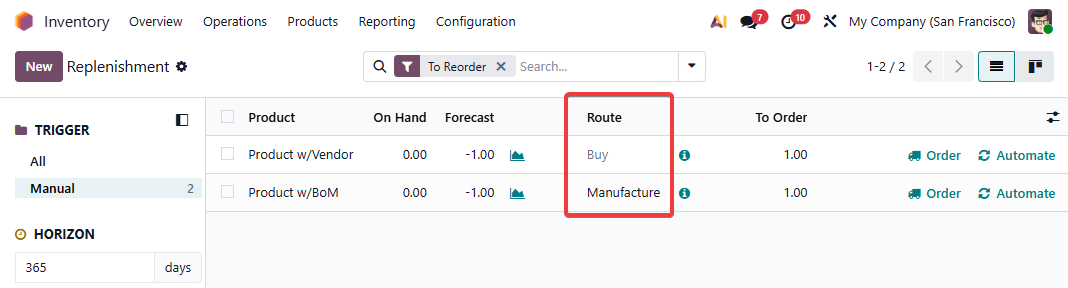
We automatically detect the Buy Route once you add a Vendor.
We automatically detect the Manufacture Route once you add a Bill of Materials.
You can adjust Routes for Products as needed via the Replenishment Menu:
From the Odoo 19 Release Notes at https://www.odoo.com/odoo-19-release-notes
Product route configuration - Product routes are set automatically when possible (i.e., Buy route for purchase products and Manufacture route for products with bills of materials).
Create an account today to enjoy exclusive features and engage with our awesome community!
Sign up