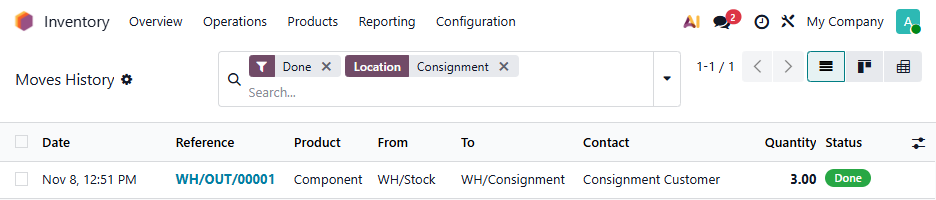
First, create a Location that is internal (so that when you move products there, they are still considered part of your inventory):
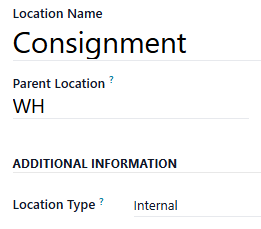
Set the Customer Location on each Consignment Customer to this new Location:
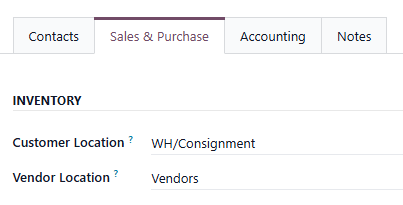
Define a Push Rule that creates a regular Delivery Order (to deplete stock and permit invoicing from Sales) and assign it to your regular Delivery Route:
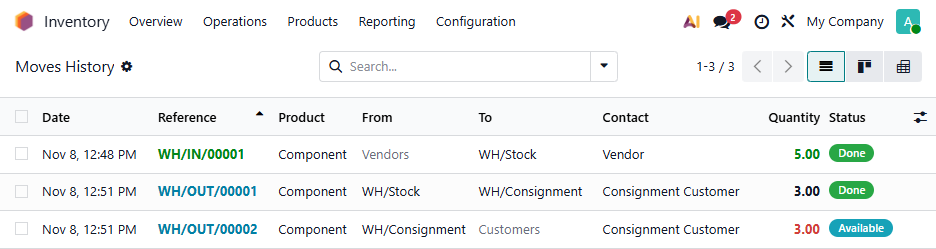
Create a Sales Order each time you want to consign products. The first Delivery will move them to the Consignment location (so they still show on your stock report). When you validate this, a second Delivery will be created reserving them so they are no longer "available". In this example, first we purchased 5 items, then sent 3 for consignment:
When the products are sold, validate the second Delivery for the amount sold, and the Sales Order will then show you can invoice for that quantity. Return any unsold products via the first Delivery and cancel any remaining back orders from the second Delivery.
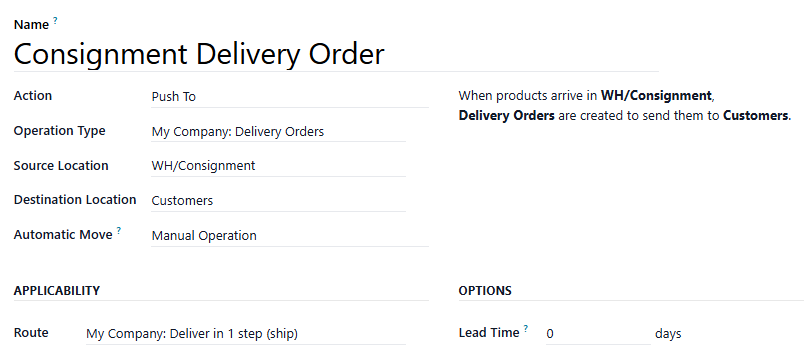
Your Stock Report will show only unsold items, your balance sheet will be correct, and you can review at any time who has what via the Moves History Menu, filtering for the Consignment location: