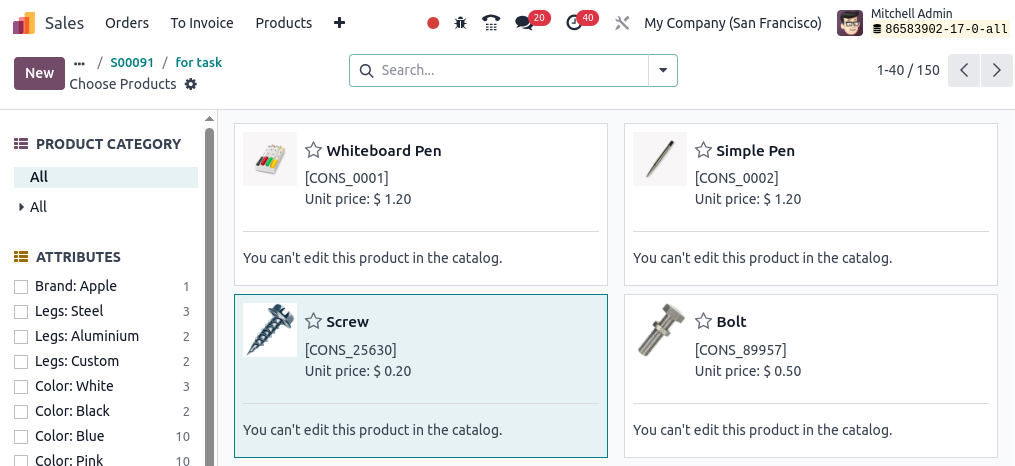
I am working in Odoo 17, and when I try to choose products from the catalog inside a project task(Product on Task) (or BOQ item), I see the message:
"You can't edit this product in the catalog."
Share and discuss the best content and new marketing ideas, build your professional profile and become a better marketer together.

I am working in Odoo 17, and when I try to choose products from the catalog inside a project task(Product on Task) (or BOQ item), I see the message:
"You can't edit this product in the catalog."

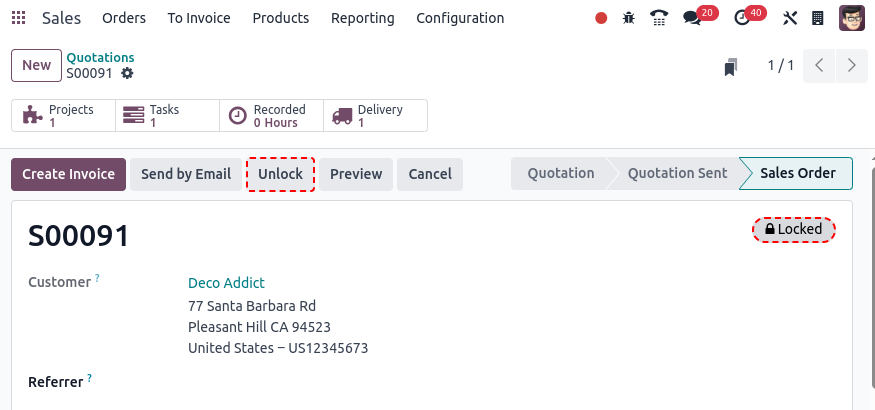
This behavior is most commonly seen when the related Sales Order is in a Locked state, which prevents any modification of a confirmed Sales Order.
The configuration relevant to having Sales Orders locked in the first place can be found under Sales -> Configuration -> Settings --> Section Quotations & Orders -> Lock Confirmed Sales. Once this option is active, all newly confirmed Sale Orders will show a Locked badge, already existing Sales Orders may need to be locked manually.
You can unlock Sales Orders by clicking Unlock:
Create an account today to enjoy exclusive features and engage with our awesome community!
Sign up