Skip to Content

Welcome!

Share and discuss the best content and new marketing ideas, build your professional profile and become a better marketer together.

Sign up

You need to be registered to interact with the community.
This question has been flagged
1 Reply
34 Views

When you only buy products from your suppliers when there is a sale, commonly known as make-to-order, and you need to have only one purchase order per sale order automatically created, even when the RFQ is not confirmed.

What would be the configurations to achieve this?

Avatar
Discard
  1. Enable developer mode: Settings > Enable developer mode
  2. Go to Inventory > Configurations settings > Enable Multi-Step Routes and Save
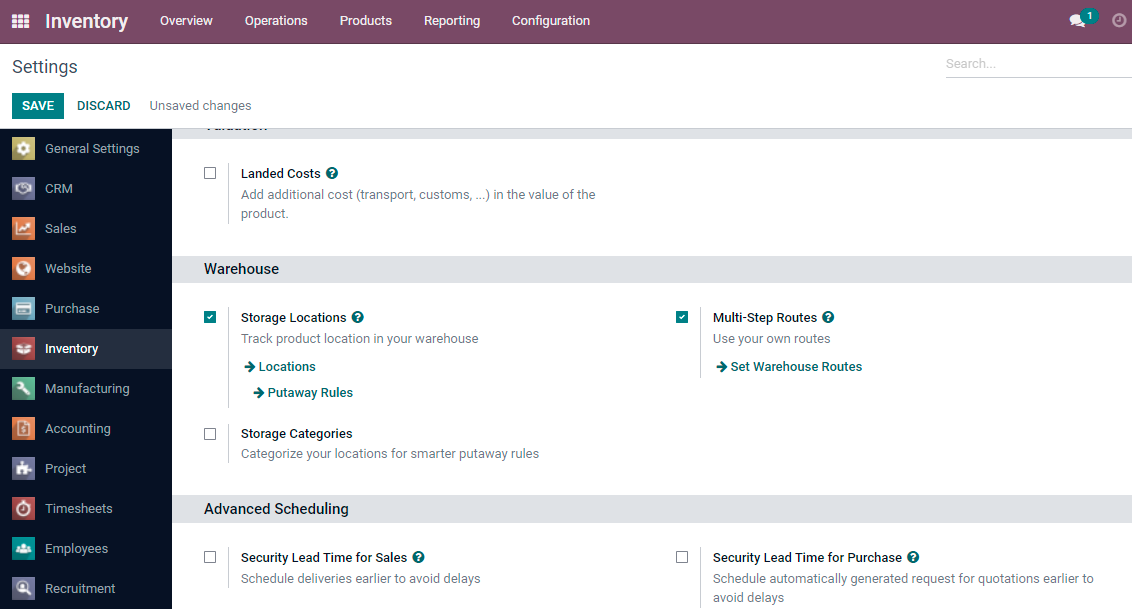

3. Now we will unarchive the MTO Route, to do so: Inventory > Configuration > Routes > Filter by Archived. 


4. Select Replenish on Order (MTO) > Action and Unarchived


5. In order to have only one purchase order per sales order, you will have to configure the propagation in the rules , to do that:


Inventory > Configuration > Rules > Purchase > Edit > Propagation of Procurement Group > Propagate

Do the same for the Replenish on order route (WH: Stock → Customers (MTO)


6. Now you will need to configure your products with the route Purchase + Replenish on Order (MTO)


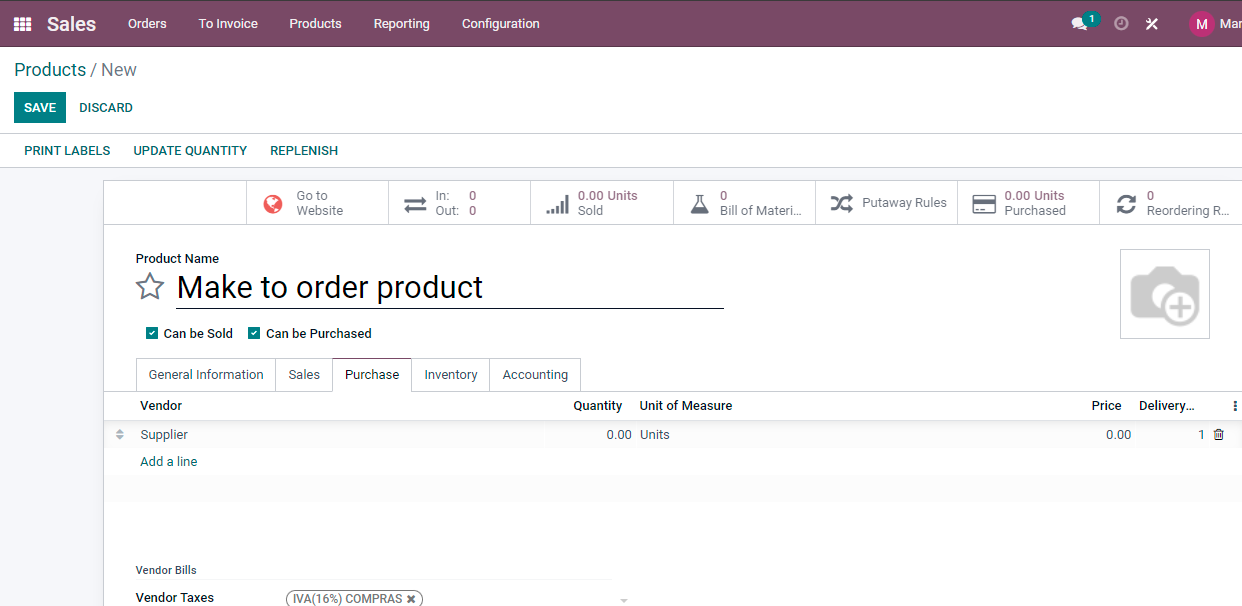
7. And in the Purchase tab of the product, you will need to add at least one supplier

Avatar
Discard

Your Answer

Please try to give a substantial answer. If you wanted to comment on the question or answer, just use the commenting tool. Please remember that you can always revise your answers - no need to answer the same question twice. Also, please don't forget to vote - it really helps to select the best questions and answers!