TAX 15% is displayed at the bottom of the quotation and invoice even though or taxes are less and have been updated in the system. I tried to update it in Studio but it says that field is a widget. How do I edit the widget in the form to remove the 15% and just say TAX. I have the latest online version and I'm in the US.
Welcome!
Share and discuss the best content and new marketing ideas, build your professional profile and become a better marketer together.
This question has been flagged
1
Reply
433
Views


Hi,
In odoo, the name of the Tax, Tax 15% shows the name of its corresponding Tax group. If you want to change the Tax 15% into Tax , 1) Enable Debug mode -> Accounting -> Configuration -> Accounting -> Tax groups
You can change the name of the Tax group The output will be
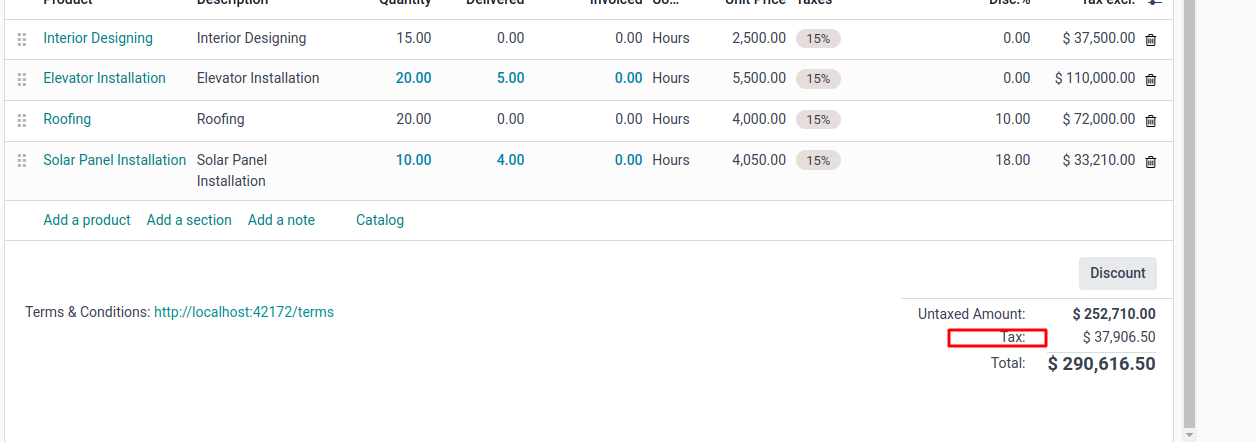
The changes will be affected here
Hope it helps
Your Answer
Enjoying the discussion? Don't just read, join in!
Create an account today to enjoy exclusive features and engage with our awesome community!
Sign up