I made an automated action of the 'Execute several actions' type. Here it is:
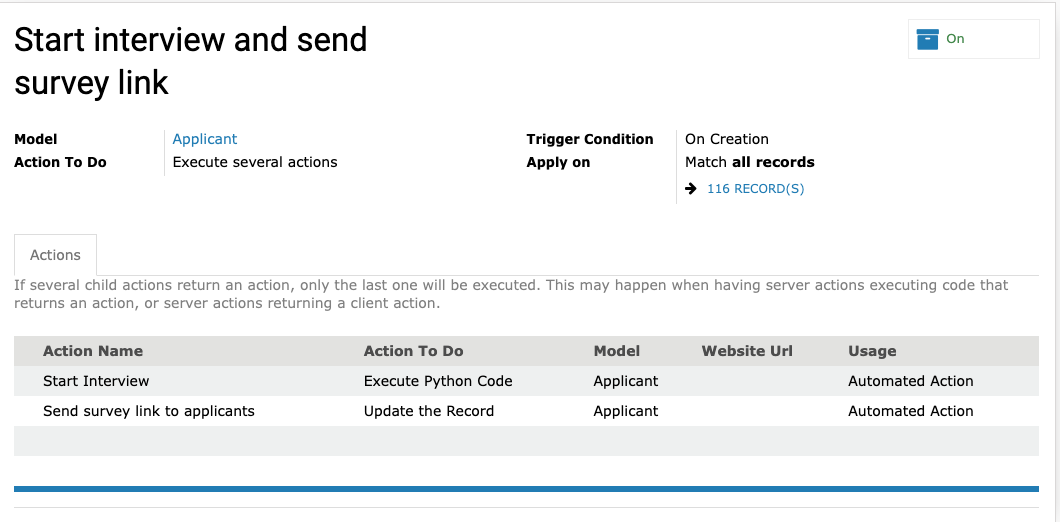
Here\ are\ the\ individual\ automated\ actions\ that\ make\ up\ the\ combined\ action:
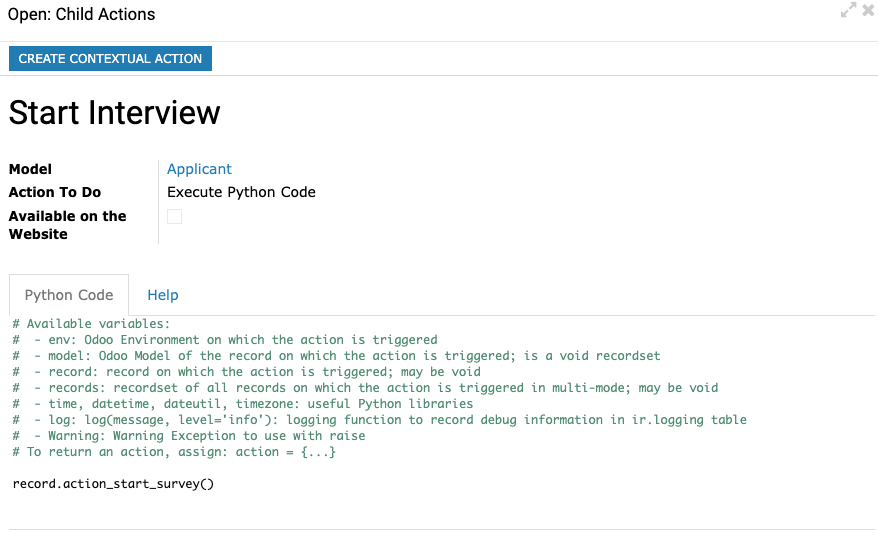
Calling\ the\ function\ to\ start\ the\ survey\ turned\ out\ to\ be\ very\ simple!
To\ send\ the\ email,\ I\ was\ trying\ use\ an\ automated\ action\ to\ send\ an\ email\ with\ the\ link\ to\ the\ survey\ directly,\ but\ I\ couldn't\ get\ the\ email\ template\ to\ pull\ the\ applicant's\ email\ address\ into\ the\ 'To'\ field,\ so\ it\ wouldn't\ send\.
I\ gave\ up\ eventually\ and\ used\ the\ built\-in\ feature\ where\ you\ can\ set\ an\ automated\ email\ to\ be\ sent\ to\ an\ applicant\ when\ their\ application\ is\ progressed\ to\ a\ particular\ stage\. \ I\ created\ a\ new\ stage\ just\ for\ this\ purpose\ and\ gave\ it\ the\ sequence\ '1',\ immediately\ after\ the\ first\ stage\ 'new'\ which\ has\ the\ sequence\ '0'\. \ The\ email\ template\ worked\ fine\ when\ triggered\ in\ this\ way,\ so\ I\ don't\ know\ what\ the\ problem\ with\ the\ 'Send\ Email'\ automated\ action\ was\.
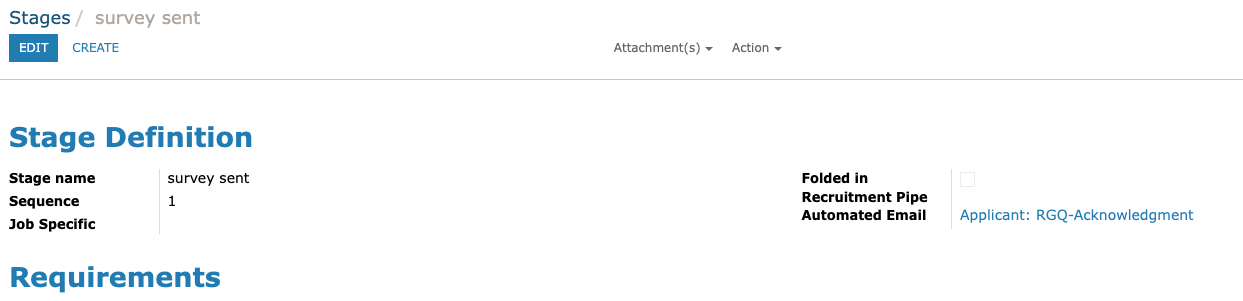
The\ 'Applicant:\ RGQ\-Acknowledgement'\ template\ set\ in\ the\ automated\ email\ field\ above\ uses\ the\ following\ placeholder\ to\ get\ the\ correct\ survey\ response_id\ for\ the\ application\. \ Thanks\ to\ @VasystOM\ Technologies\ for\ this\ tip\.
h t t p://${object.survey_id.public_url.replace('http://','')}/${object.response_id.token}
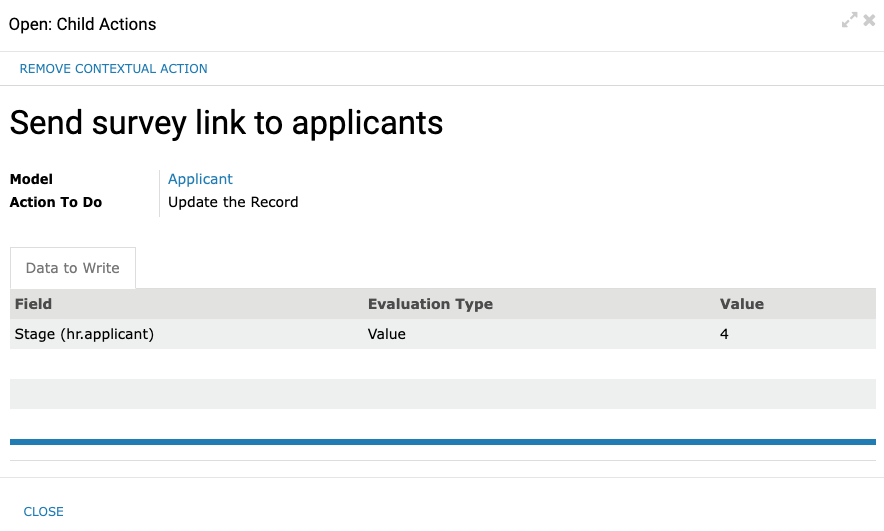
The second part of the combined automated action simply updates the record by changing the 'state' (Stage) field to 'id' '4', which is the id of the 'survey sent' stage.
That's it. Sure does save me a lot of time and it means the applicant get's to fill out their survey straight after submitting their application, so they are less likely to forget about it.


