Skip to Content

Welcome!

Share and discuss the best content and new marketing ideas, build your professional profile and become a better marketer together.

Sign up

You need to be registered to interact with the community.
This question has been flagged
1 Reply
52 Views

Hello,

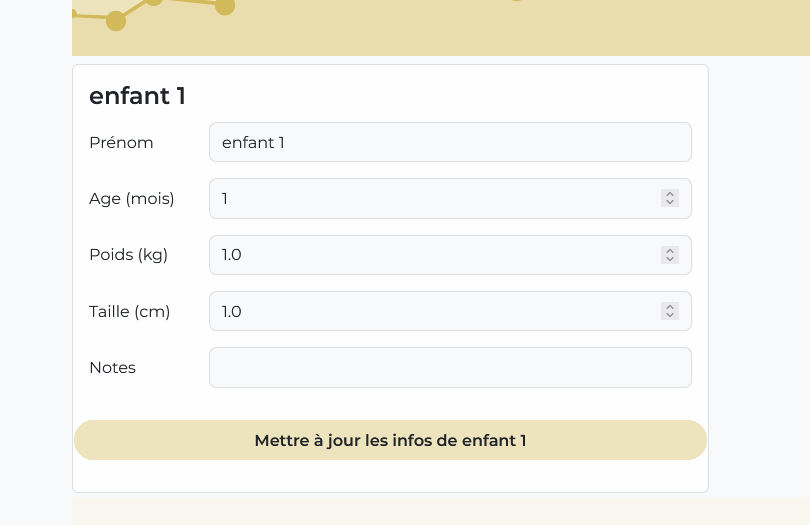
I would like to have a form allowing me to edit the values of the objects in my model.


For example, I have a customized model name "enfant" (ie. children), and I'd like to be able to edit it and with a form on the user's website.


Currently I've managed to display the values present for each object using t-att-value="record.x_studio_name" for example. But I can't validate the form to save the new values.


The question is : how can i make a form in user website to edit a child ?

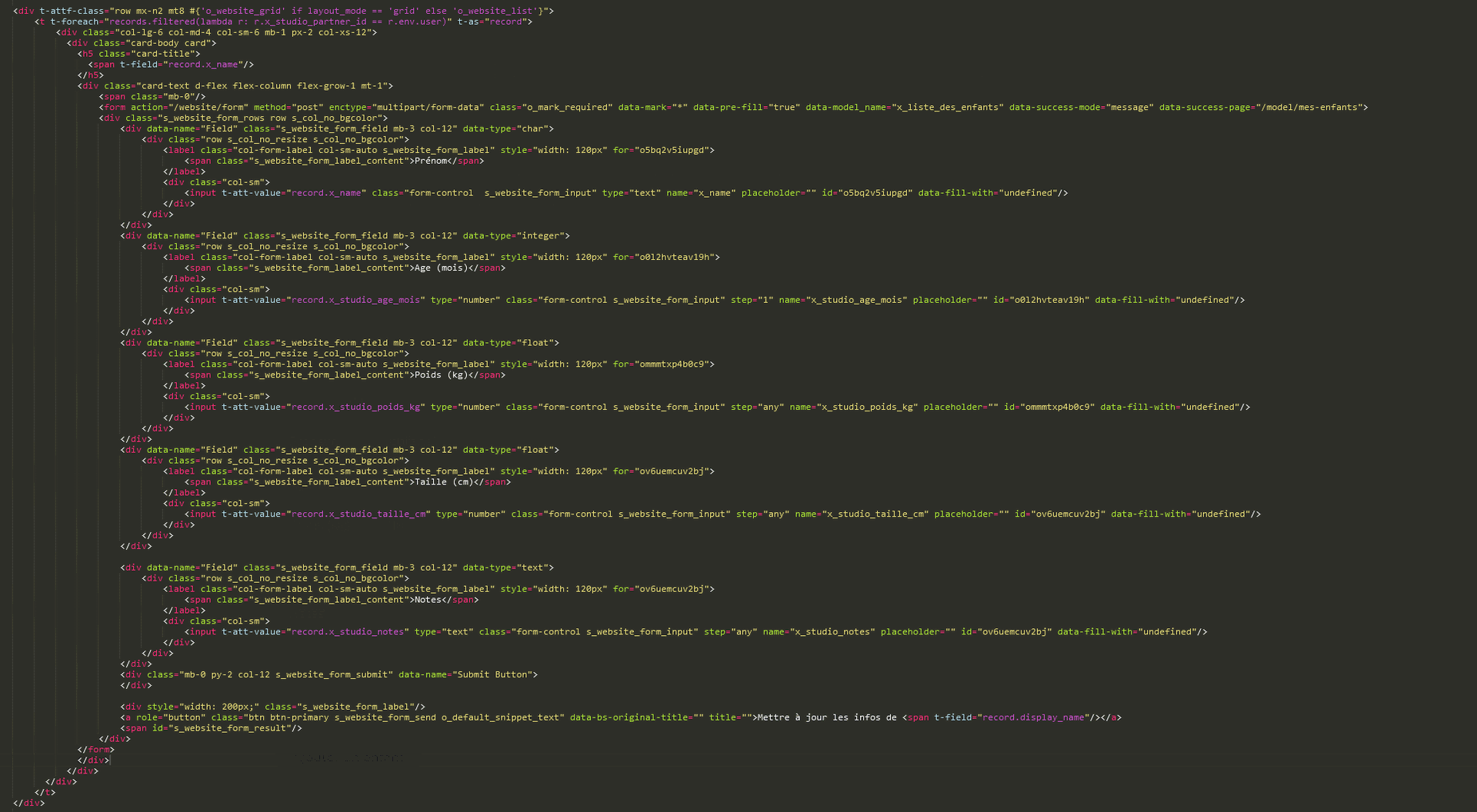
Here the code of the form for informations (sorry for the image format, i didn't succeed to copy/past code) :

0

SIMON Clément

 1 year ago Author

For now, i have added this code arount the input :

<div class="col-sm">

<record model="x_liste_des_enfants" id="enfant.id">

<field name="x_name">

<input t-att-value="enfant.x_name" type="text" class="form-control s_website_form_input" name="x_name" placeholder="" data-fill-with="undefined"/>

</field>

</record>

<!-- <delete model="record" search="[('id','=',ref('module_name.record_id'))]"/> -->

</div>

Avatar
Discard

I finally did it!


It feels more like a patch than anything else, but it'll do the job.

In the automation rules, I've added a “on registration” rule, for all my custom fields, with the following python code:

enfant = record.env.user.x_enfants.search([]).filtered(lambda e : e["x_name"] == record["x_name"]).filtered(lambda e : e["id"] != record['id'])
savedName = record["x_name"]
record["x_name"] = record["x_studio_parent"]

if enfant:
    enfant.write({
        "x_studio_age_mois" : record["x_studio_age_mois"],
        "x_studio_poids_kg" : record["x_studio_poids_kg"],
        "x_studio_taille_cm" : record["x_studio_taille_cm"],
        "x_studio_commande" : record["x_studio_commande"],
        "x_studio_parent" : enfant["x_studio_parent"],
        "x_studio_notes" : record["x_studio_notes"]})
else:
    record["x_name"] = savedName


In this code, we retrieve the "enfant" we're interested in with a filter. Then we edit its content with the record data.


The savedName thing is to avoid creating a new object with the x_name currently being parsed, which would belong to the current user. The “else” case is to continue managing the creation of an object in the normal way .

The only problem is that it creates objects to be destroyed afterwards that belong to the OdooBot user, so I think another automation rule to clean this up will do the trick.

Avatar
Discard

Your Answer

Please try to give a substantial answer. If you wanted to comment on the question or answer, just use the commenting tool. Please remember that you can always revise your answers - no need to answer the same question twice. Also, please don't forget to vote - it really helps to select the best questions and answers!