I’d like to configure a ‘chat with us’ whatsapp button in my website. I tried using the https://wa.me.1xxxxxxxx and it didn’t work. It said the number I was trying to message was not in whatsapp. Is there a way to do it?
Welcome!
Share and discuss the best content and new marketing ideas, build your professional profile and become a better marketer together.
This question has been flagged
1
Reply
326
Views


To solve this issue, go to your meta account and do the following:
- Go to your whatsapp administrator

2. Under phone number, go to messages links and click on ‘create message link’.

3. Write the message you’d like your customers to start the conversation with. This can be edited by them as well. Click on save.

4.Now you have your link created and when you click on it, the following pops up.

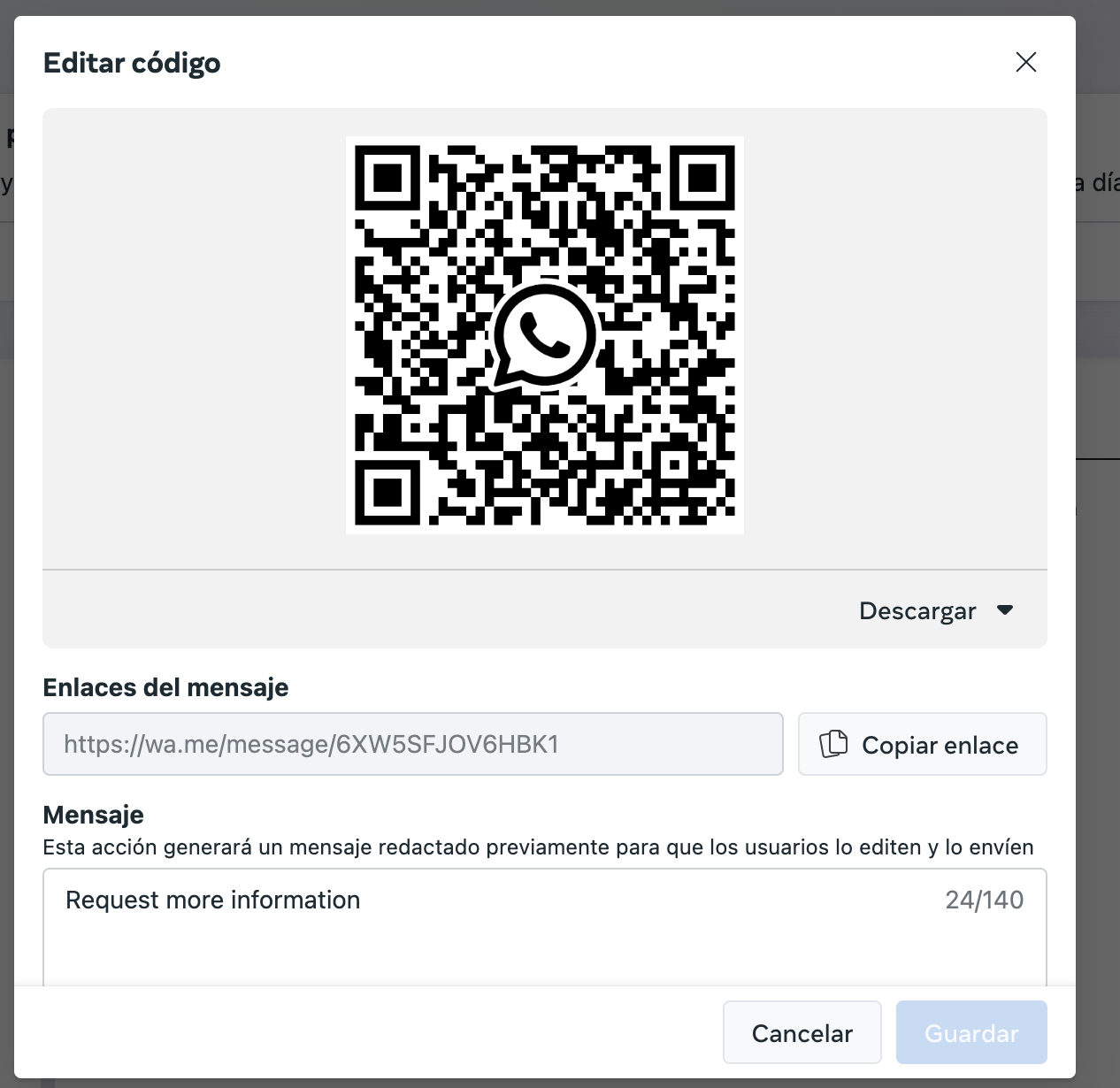
5. You can add the link it generated to a ‘contact us’ button in your website or even if anyone scans the QR code, they can contact you.
6. It will be seen by other people like this if they scan the QR code and will be redirected to whatsapp if they click on the link: scan the QR code > redirect to whatsapp > start conversation (send the preconfigured message or edit it)

7. This is how you’ll get the message in Odoo

Your Answer
Enjoying the discussion? Don't just read, join in!
Create an account today to enjoy exclusive features and engage with our awesome community!
Sign up