When I configure Variants with Extra Prices it comes with the Badge with the additional value on the Product page on the website.
How can I remove these badges from displaying on the Product Page.
Share and discuss the best content and new marketing ideas, build your professional profile and become a better marketer together.

When I configure Variants with Extra Prices it comes with the Badge with the additional value on the Product page on the website.
How can I remove these badges from displaying on the Product Page.

Once Extra Prices are set on the Product, the variants will be showing the Sales Price of each of them including the extra Price.
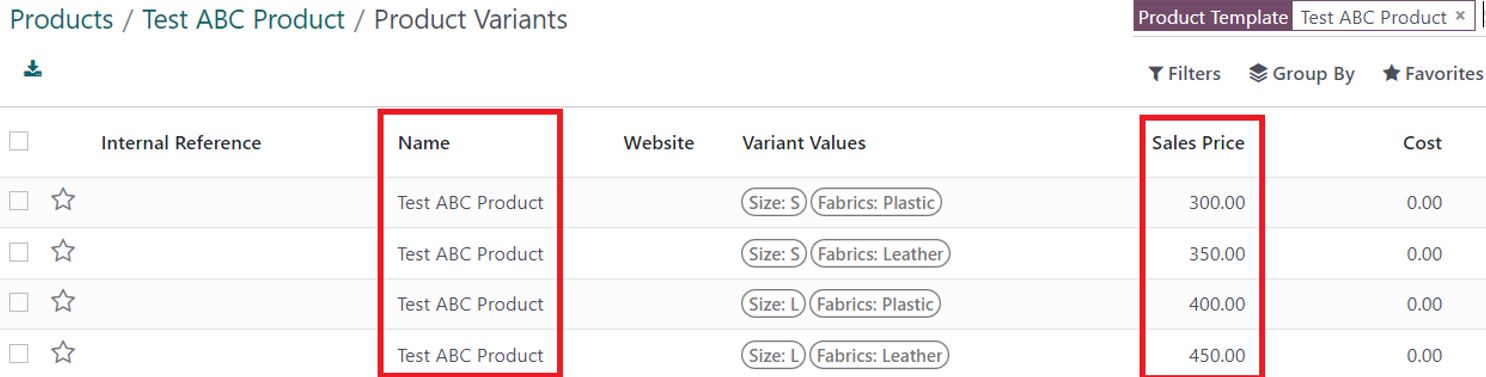
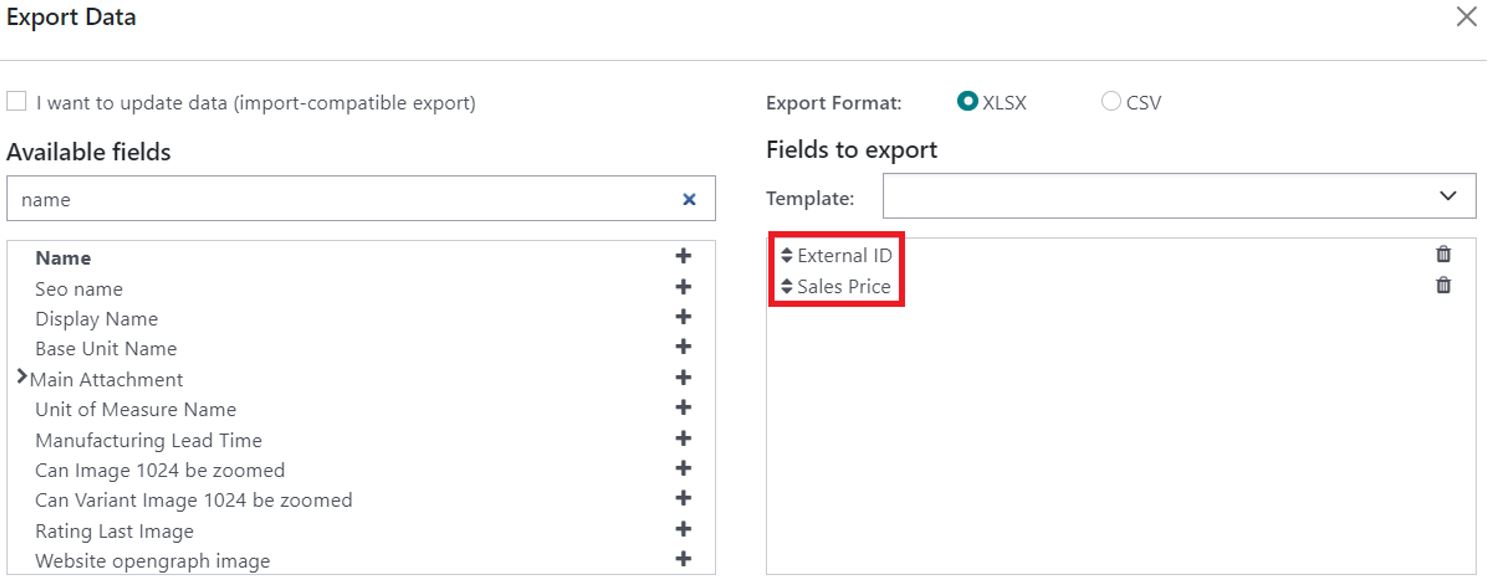
export all the variants external ID and their sales price, we will be using these fields when importing the Products and the prices into a Pricelist.
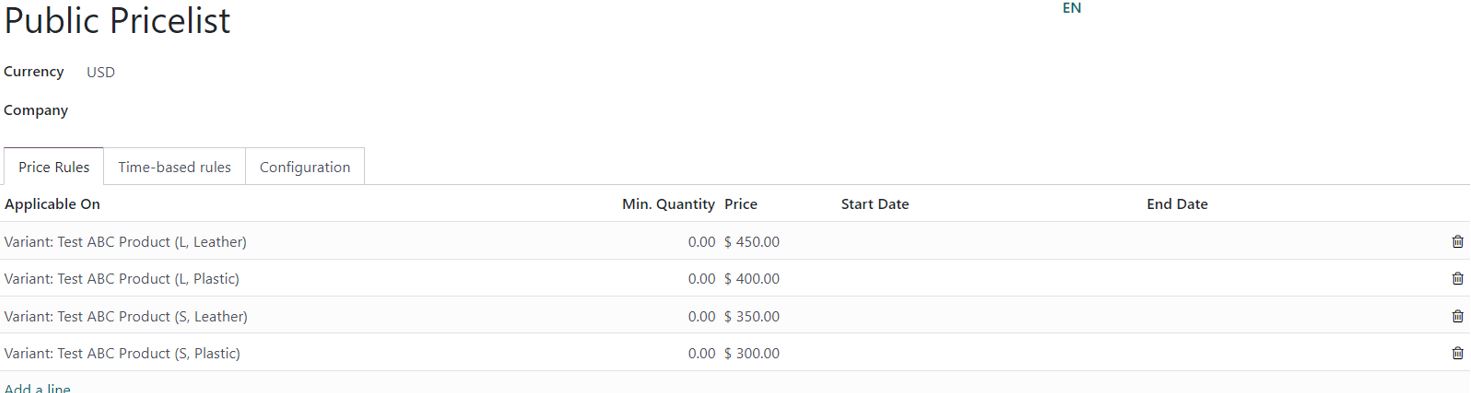
You can go to the products and remove the extra prices added on them.
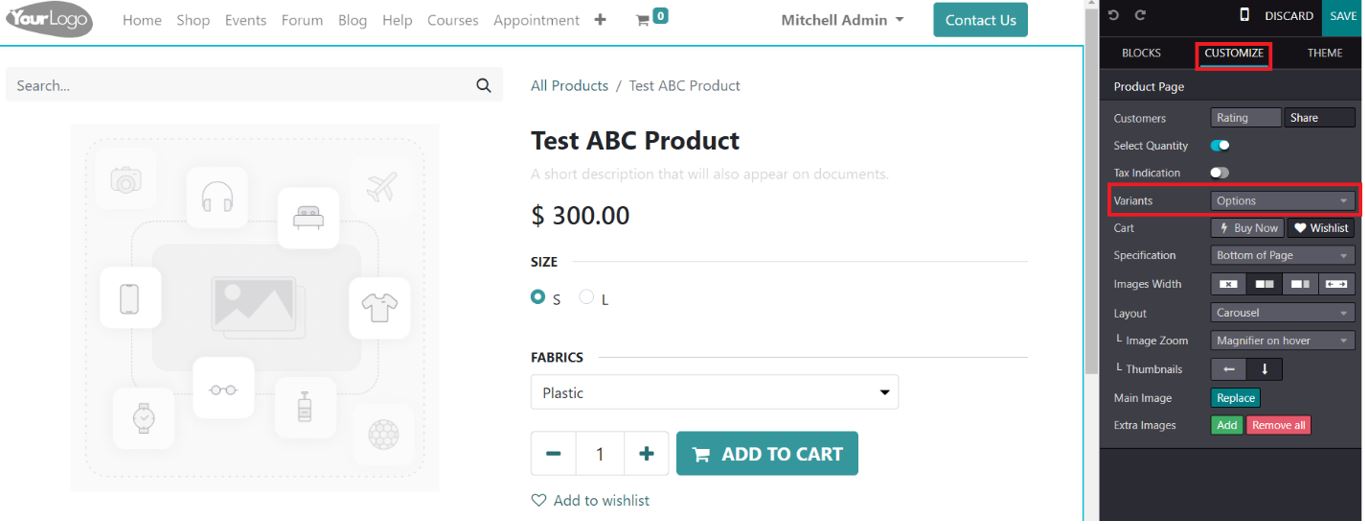
Also, on the website end make sure to have the variant display option on the Product page is set as Options.
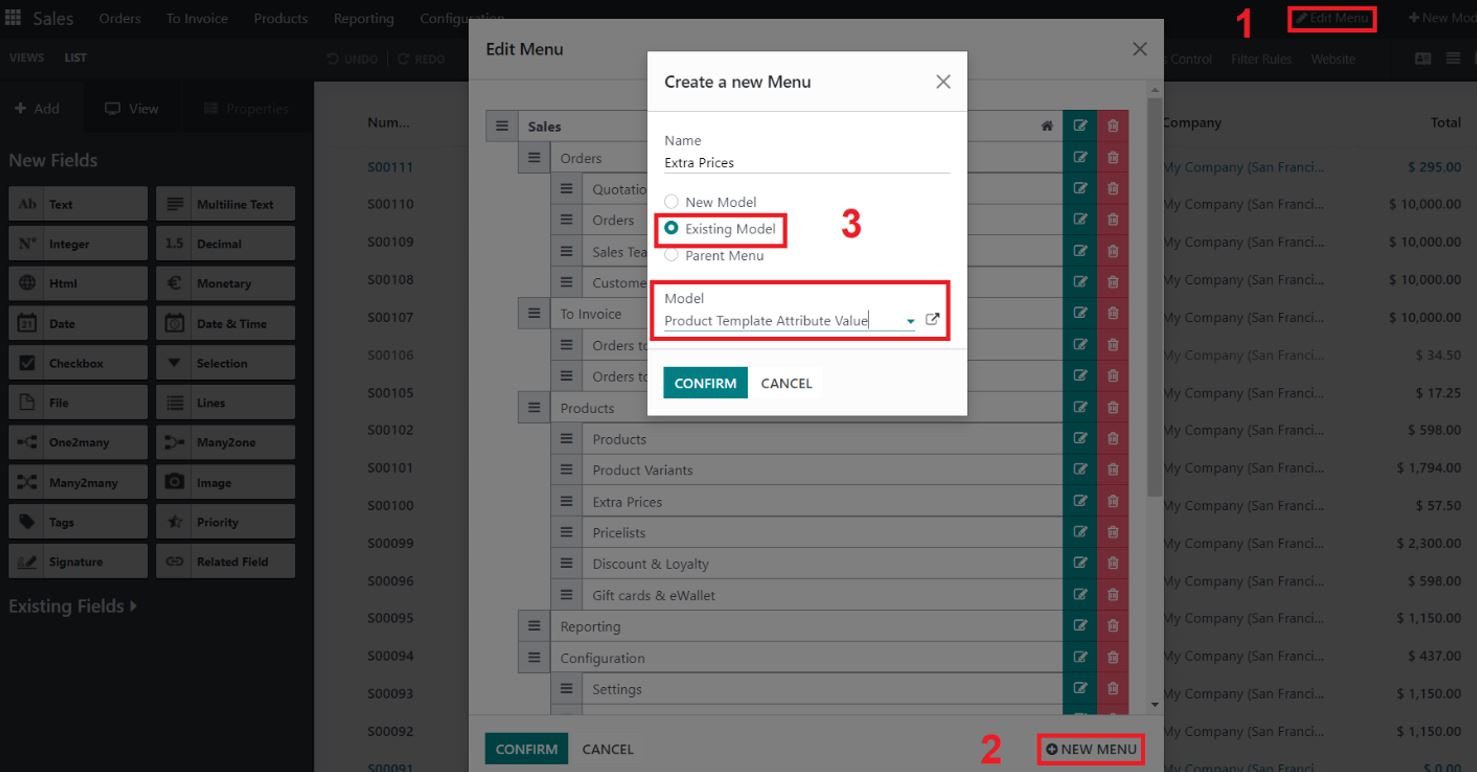
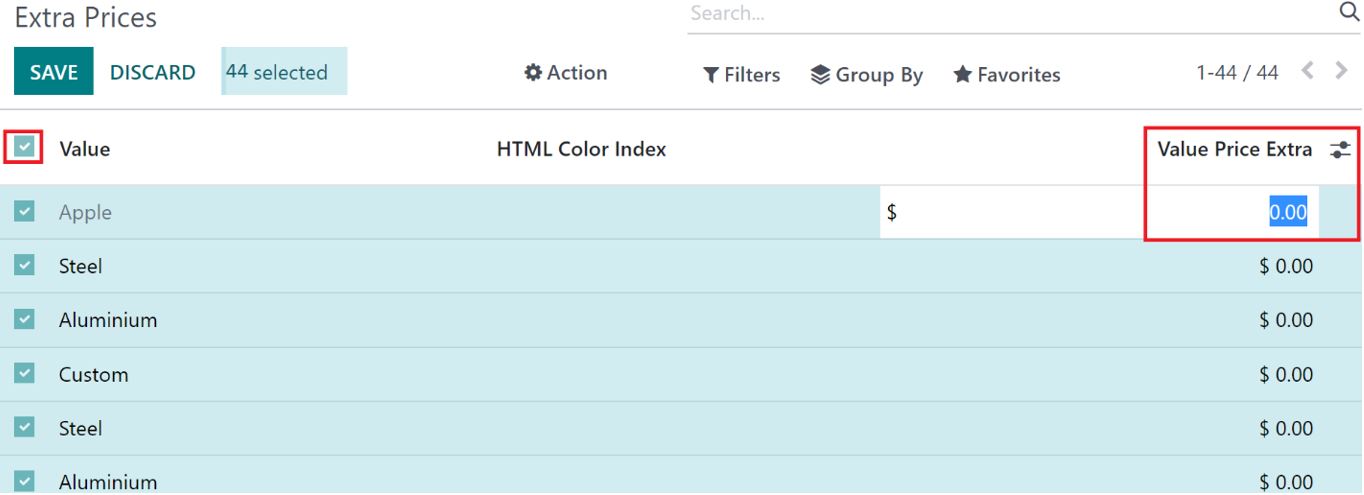
If you have a lot of extra prices and it is difficult to remove them one at a time, you can also consider creating a new menu with the extra prices as an option and change all extra price value at once to 0.
For this, Create a New Menu using Studio Link it to the Existing Model “product.template.attribute.value” which is Product Template Attribute Value model.
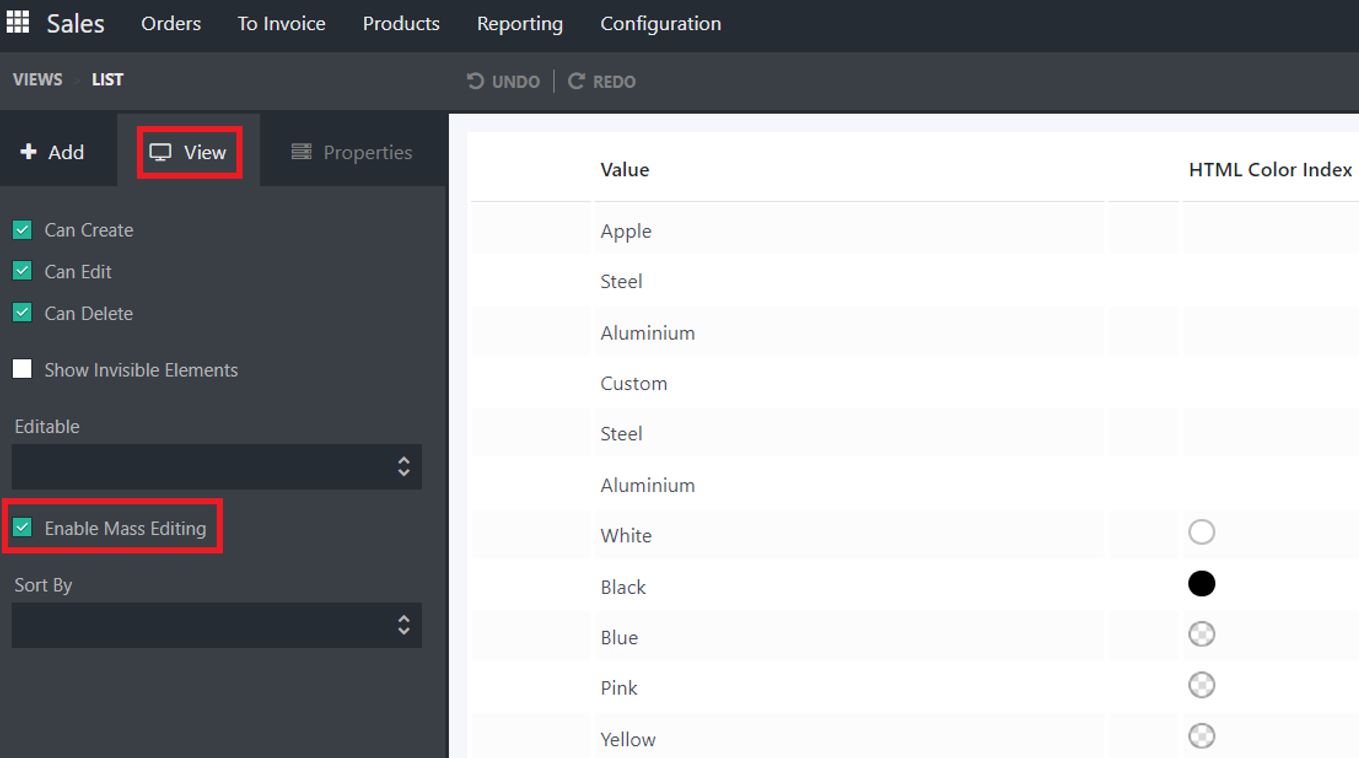
enable mass editing on the list view
Select all the extra price you wish to change to zero and set them to zero
Create an account today to enjoy exclusive features and engage with our awesome community!
Sign up