How can I add trackers for Google or Meta tags for tracking the website performance with external sources?
Welcome!
Share and discuss the best content and new marketing ideas, build your professional profile and become a better marketer together.
This question has been flagged
1
Reply
280
Views


In general Pixel /tracker code is just injected into the head tag or the body tag of the website. The code will be provided by the external service provider. For instance, The Meta Pixel tag would be provided by Meta and this can then be added to the website.
- Go to the Website select the edit button -> Select the themes section.
- Scroll all the way to the bottom
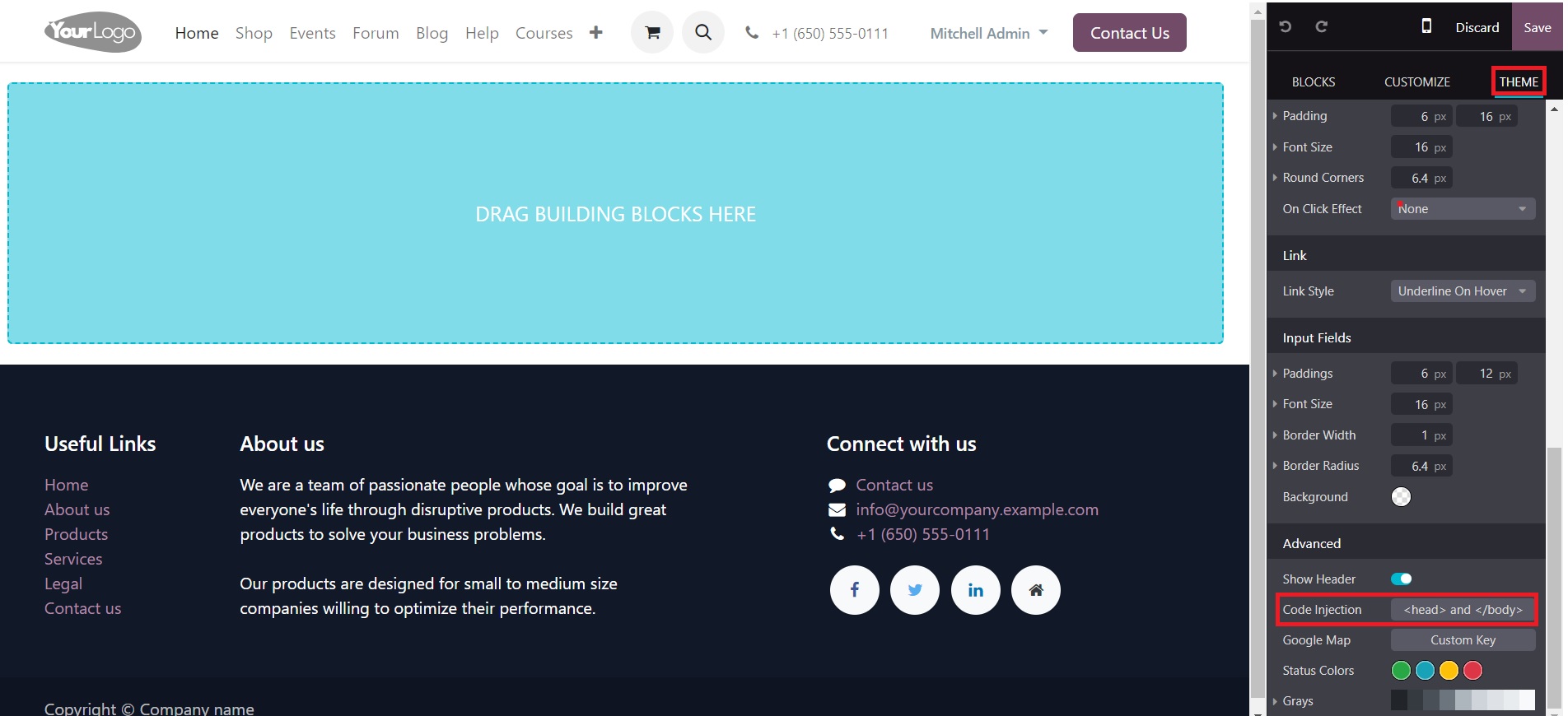
- Select the Head body tag and a pop-up appears where the code can be added.
- Paste the code in the head/body and then save it.
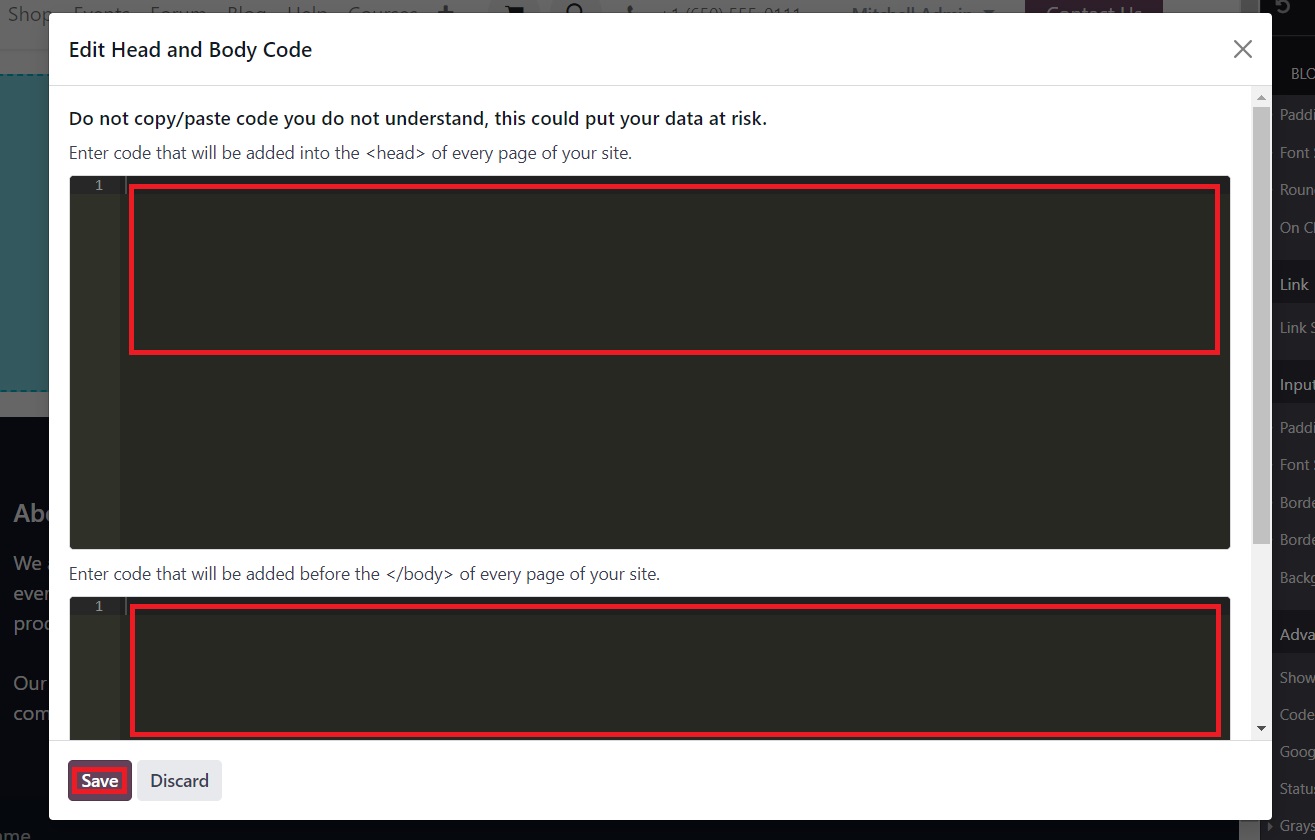
Note: The Head section generally has info that people don't see like metadata and the Body is the the one that is visible to the visitors like the text, images, and content of the page
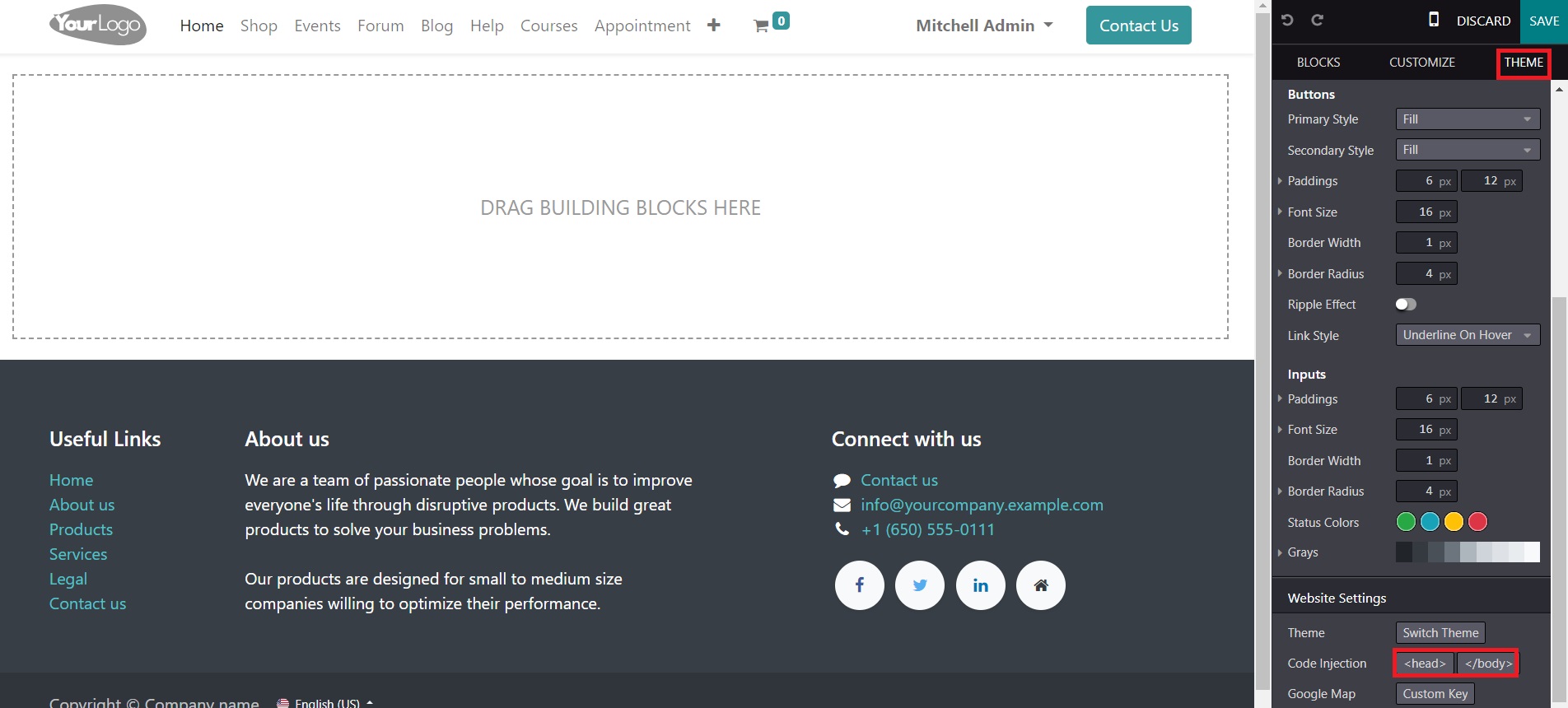
The Above images are from Odoo 17 and hence both the head and body tags are on the same pop-up window. In previous versions of Odoo, head tag and body tag would be separate options under the theme section of the website editor.
Your Answer
Enjoying the discussion? Don't just read, join in!
Create an account today to enjoy exclusive features and engage with our awesome community!
Sign up